ORAlert (Blue Zone)1.0.1
Publisher Description

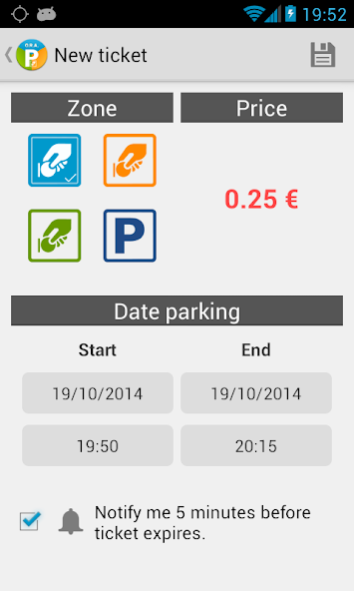
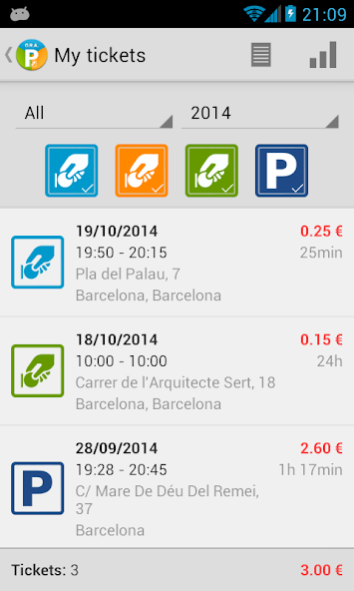
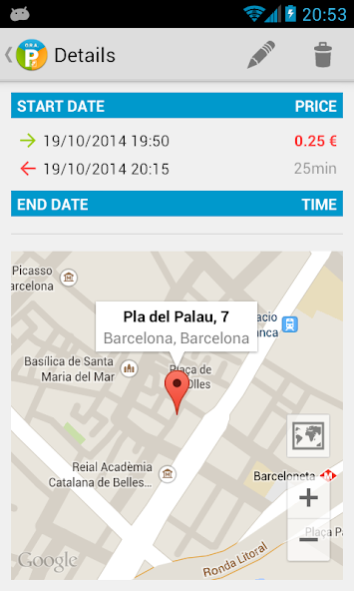
Set up alerts, avoid fines and control your spending in regulated parking areas (blue zone, orange zone, green zone or parking).
The application allows you to add alerts that notify you when your ticket is about to expire, you will avoid exceeding the parking time.
Furthermore you can save GPS location where you parked. If you forget where you left your car parked you can start navigation that takes you there.
The application displays detailed summary of expenditure (in list mode and charts) and history of your parking.
Set up your alert is very easy:
Select new ticket, select the dates and parking area, save your alert and don't pay for forgetfulness !!
Features of the app:
* Add and set up alerts for your parking tickets for different areas or parking.
* List and details of your parking (time, amount and location).
* Chart of annual expenses.
* Preferences screen (set the minutes of your alerts.)
* General information on the ORA, areas, times, offenses and penalties.
* Upgrade to Pro version from within the application.
Pro version improvements:
* No advertising
* Import and export your parking data in csv format
Keywords: blue zone, regulated parking service, SER, parking meter, parking, green zone, orange zone, parking, parking fines, penalties.
About ORAlert (Blue Zone)
The company that develops ORAlert (Blue Zone) is Dayser Apps. The latest version released by its developer is 1.0.1.
To install ORAlert (Blue Zone) on your Android device, just click the green Continue To App button above to start the installation process. The app is listed on our website since 2015-01-01 and was downloaded 4 times. We have already checked if the download link is safe, however for your own protection we recommend that you scan the downloaded app with your antivirus. Your antivirus may detect the ORAlert (Blue Zone) as malware as malware if the download link to com.dayserapps.ora is broken.
How to install ORAlert (Blue Zone) on your Android device:
- Click on the Continue To App button on our website. This will redirect you to Google Play.
- Once the ORAlert (Blue Zone) is shown in the Google Play listing of your Android device, you can start its download and installation. Tap on the Install button located below the search bar and to the right of the app icon.
- A pop-up window with the permissions required by ORAlert (Blue Zone) will be shown. Click on Accept to continue the process.
- ORAlert (Blue Zone) will be downloaded onto your device, displaying a progress. Once the download completes, the installation will start and you'll get a notification after the installation is finished.
Program Details
System requirements
Download information
Pricing
Version History
version 1.0.1
posted on 2015-01-01
- Design improvements in the list of tickets.,- Fixed errors.
